I typed sudo systemctl restart bluetooth, and it ran without asking for a password. Something was wrong. That single observation led through a GTFOBins lookup, a full SSH key redesign, a fight with rrsync, and eventually reading the OpenSSH source itself. The story ends with an unsatisfying twist: my PC powered itself off twice, and I never fully found out why.
The trigger: no password prompt
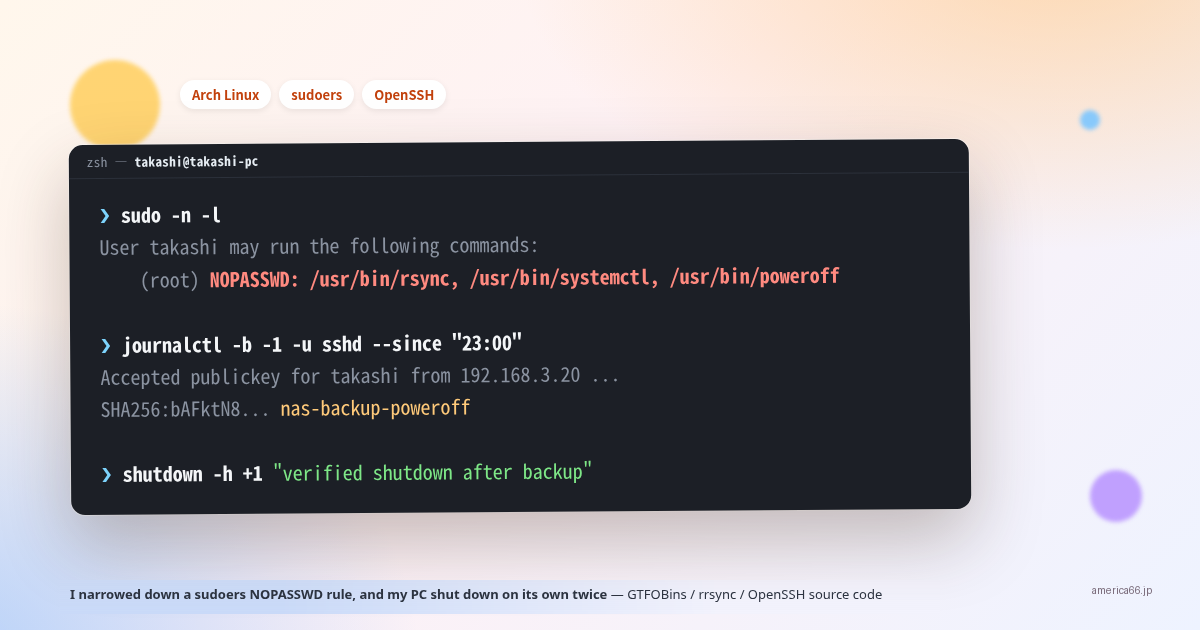
Bluetooth was acting up, so I ran sudo systemctl restart bluetooth. It should have asked for my password. It didn’t, and I hadn’t used sudo recently. Something was off, so I ran sudo -n -l (list what I’m allowed to run without a password, without prompting for one).
        User takashi may run the following commands on takashi-pc:
    (ALL : ALL) ALL
    (root) NOPASSWD: /usr/bin/rsync, /usr/bin/systemctl, /usr/bin/poweroff
Somewhere under /etc/sudoers.d/, rsync, systemctl, and poweroff were all set to run passwordless, with no argument restriction at all.
What GTFOBins says about it
GTFOBins catalogs privilege-escalation tricks that abuse otherwise-ordinary Unix binaries. Looking up systemctl and rsync makes it immediately clear how bad this configuration was.
systemctl: write your own systemd service file, register and start it with systemctl link → systemctl enable --now, and that service runs as root. Or point the SYSTEMD_EDITOR environment variable at your own script and run systemctl edit — your script gets invoked as root.
rsync: the --rsh (or -e) option lets you launch an arbitrary command as the “remote shell.” sudo rsync -e /bin/sh ... hands you a root shell directly.
In other words, this configuration meant an ordinary user could effectively become root. poweroff alone is limited in damage (it can only shut the machine down), but the other two were serious.
Who was actually using this
I checked every automation running locally — no systemd timer, no cron job depended on these three NOPASSWD entries.
The answer was on a different machine: a small PC at home running NAS duties (I’ll call it “NAS” here). A script called backup-arch rsyncs /home, /boot, and /etc from this PC to NAS every night, and it was running sudo rsync on this PC over SSH to do it. After a backup finished, it also used to sudo systemctl stop/start a container, and finally sudo poweroff to shut this machine down automatically.
The first commit of backup-arch dates back to October 2025. I had a coding agent write it back then, and it was designed around SSH-triggered sudo from the start. The systemctl step — stopping a container around the backup window — had already been removed in a later commit, once it turned out the thing it was pausing wasn’t even inside the backup scope. But the broad sudoers permission was never tightened to match.
Narrowing it down: rrsync and SSH forced commands
I dropped the NOPASSWD entries for rsync and systemctl, and replaced them with something scoped to exactly what was needed.
rsync ships with a companion script called rrsync (restricted rsync). In authorized_keys, you can attach a forced command to a specific key — command="rrsync -ro /path/to/dir" — and whatever the connecting client asks for is ignored; only read-only access to that one directory is allowed.
The catch: rrsync can only restrict to one directory per invocation. I needed three (/home, /boot, /etc), so I generated one dedicated key per directory — three keys — plus a fourth dedicated solely to shutdown. Four keys, each with its own forced command in authorized_keys:
        command="sudo /usr/bin/rrsync -ro /home",restrict ssh-ed25519 AAAA... nas-backup-home
command="sudo /usr/bin/rrsync -ro /boot",restrict ssh-ed25519 AAAA... nas-backup-boot
command="sudo /usr/bin/rrsync -ro /etc",restrict ssh-ed25519 AAAA... nas-backup-etc
command="sudo /usr/bin/poweroff",restrict ssh-ed25519 AAAA... nas-backup-poweroff
The sudoers side pins the exact arguments too:
        takashi ALL=(root) NOPASSWD: /usr/bin/rrsync -ro /home
takashi ALL=(root) NOPASSWD: /usr/bin/rrsync -ro /boot
takashi ALL=(root) NOPASSWD: /usr/bin/rrsync -ro /etc
takashi ALL=(root) NOPASSWD: /usr/bin/poweroff
When sudoers specifies a command with explicit arguments, it only matches an exact invocation. Without a wildcard, something like rsync --rsh=/bin/sh ... simply won’t match the rule anymore.
The trap: sudo strips environment variables
Right after wiring this up, rrsync started failing with “Not invoked via sshd.” Reading its source explained why immediately.
        command = os.environ.get('SSH_ORIGINAL_COMMAND', None)
if command is None:
    die("Not invoked via sshd")
rrsync reads what the client actually asked for (SSH_ORIGINAL_COMMAND) and validates it. But sudo, by default, strips almost all environment variables before launching the child process. Since the forced command was sudo rrsync ..., the variable rrsync needed was already gone by the time it ran.
Defaults!/usr/bin/rrsync env_keep += "SSH_ORIGINAL_COMMAND SSH_CONNECTION"
One line in sudoers, keeping those two variables alive specifically for rrsync, fixed it.
A detour: rrsync’s TOCTOU hardening was more serious than I expected
While reading rrsync’s source (it’s Python; the upstream copy lives at /usr/share/doc/rsync/support/rrsync and Arch installs it to /usr/bin/rrsync), I went in assuming it was a thin “confine the path to a directory” wrapper. It’s not. It has real TOCTOU (time-of-check to time-of-use) hardening, and I want to quote a chunk of validated_arg(), comments included, because they’re better documentation than anything I could write myself.
                    # Inode-pin the validated path so an attacker cannot flip a
            # path component AFTER realpath validates it but BEFORE the
            # exec'd rsync resolves it.
            #
            # CRITICAL: open with O_RDONLY (not O_PATH).  An O_PATH fd
            # holds a path/dentry reference and /proc/self/fd/N for an
            # O_PATH fd re-resolves the path on open -- which means the
            # race window stays open across the exec.  A regular
            # O_RDONLY fd holds an open file (inode-bound), and
            # /proc/self/fd/N for a regular fd references the inode
            # directly -- exactly the race-closing primitive we need.
            #
            # O_NOFOLLOW on this open means a symlink that raced into
            # place between realpath and this open is refused at the
            # leaf.  A subsequent fstat() + readlink-of-fd verifies the
            # pinned inode is still within the restricted tree (a
            # parent-component race that landed on an in-tree symlink
            # but outside-tree target would surface here).
            try:
                if sender_leaf_unopened:
                    raise InterruptedError()   # jump to the sender-pin branch
                try:
                    # O_NONBLOCK so a special file that raced in after the
                    # lstat above still cannot block this open.
                    fd = os.open(real_arg,
                                 os.O_RDONLY | os.O_NOFOLLOW | os.O_NONBLOCK)
                except IsADirectoryError:
                    fd = os.open(real_arg,
                                 os.O_RDONLY | os.O_NOFOLLOW | os.O_DIRECTORY)
            except InterruptedError:
                fd = None
            except FileNotFoundError:
                if am_sender:
                    die('post-realpath open failed (race detected):',
                        orig_arg, 'No such file or directory')
There’s a classic TOCTOU attack here: swap a symlink to point outside the restricted tree in the narrow window right after os.path.realpath() has validated a path. rrsync closes that window by opening the validated path with O_NOFOLLOW and holding onto the resulting file descriptor — deliberately a plain O_RDONLY open rather than O_PATH, since (as the comment explains) an O_PATH fd’s /proc/self/fd/N re-resolves the path on open, leaving the race window open across the exec, while a regular fd is bound to the inode itself. Everything downstream then goes through that fd (/proc/self/fd/N) instead of the original path string, which physically closes off any post-validation swap. Finding real, careful security engineering buried inside a wrapper script I only opened because I was chasing an unrelated shutdown was, honestly, the most fun part of this whole investigation.
Incident #1
Partway through setting this up, I tested all four keys one by one to confirm the forced commands fired correctly. The home/boot/etc keys correctly failed with a password prompt (the tightening wasn’t finished yet), so I assumed the poweroff key would fail the same way and tested it in the same breath.
It succeeded instead, and the machine actually powered off.
The reason was simple: at that point, sudoers still had the old, broad NOPASSWD:/usr/bin/poweroff (no argument restriction) left over from before the tightening. I treated a command that, on success, unconditionally shuts down a real machine as just another routine check — and ran it silently, as part of a batch of tests.
Incident #2, after locking the arguments down
I rewrote sudoers to require an exact argument match, confirmed the home/boot/etc keys worked correctly, updated the backup script on NAS to use the new key layout, and ran it manually end to end successfully. Everything checked out.
Some time later, the machine powered off again, with no warning.
Chasing the cause
I started from what I could prove.
        $ journalctl -b -1 -u sshd --since "23:00"
Sep 29 23:06:31 takashi-pc sshd-session[24158]: Accepted publickey for takashi
    from 192.168.3.20 port 39462 ssh2: ED25519 SHA256:bAFktN8...
The fingerprint matched nas-backup-poweroff — the dedicated shutdown key — exactly. A genuine connection came in from NAS (192.168.3.20) using that key, and the forced command fired correctly. That much was certain.
The open question was what caused that connection in the first place.
- Process list on NAS: no leftover ssh/rsync/poweroff processes
- SSH multiplexing sockets: none
- cron: every line commented out, nothing running
- systemd timer:
backup-arch.timerhad run the previous day at 03:21, next scheduled for 03:16 the following night — nowhere near this time window - ssh-agent: not even running on NAS
- Shell hooks (
chpwd/precmd/exit traps): nothing in.zshrcreferenced any of this
One hypothesis was worth checking seriously: if an ssh-agent had all four keys loaded, an ordinary connection that never specified the poweroff key — say, ssh arch — could still have the agent offer its loaded keys in turn, and if the poweroff key happened to authenticate first, the server-side forced command would fire regardless of what the client actually asked for.
No agent was running, which rules this out directly. But to be sure, I cloned OpenSSH straight from GitHub (git clone --depth 1 https://github.com/openssh/openssh-portable.git, matching the OpenSSH_10.5p1 installed on this machine) and read the relevant part of readconf.c. The check lives inside fill_default_options(), the function that fills in defaults after the config file has been fully parsed.
        	if (options->add_keys_to_agent == -1) {
		options->add_keys_to_agent = 0;
		options->add_keys_to_agent_lifespan = 0;
	}
	if (options->num_identity_files == 0) {
		add_identity_file(options, "~/", _PATH_SSH_CLIENT_ID_RSA, 0);
		add_identity_file(options, "~/", _PATH_SSH_CLIENT_ID_ECDSA, 0);
		add_identity_file(options, "~/",
		    _PATH_SSH_CLIENT_ID_ECDSA_SK, 0);
		add_identity_file(options, "~/",
		    _PATH_SSH_CLIENT_ID_ED25519, 0);
		add_identity_file(options, "~/",
		    _PATH_SSH_CLIENT_ID_ED25519_SK, 0);
		add_identity_file(options, "~/",
		    _PATH_SSH_CLIENT_ID_MLDSA44_ED25519, 0);
	}
	if (options->escape_char == -1)
		options->escape_char = '~';
There’s exactly one call site gated by if (options->num_identity_files == 0) — no other path ever adds a default identity file. num_identity_files is the same counter incremented by add_identity_file() every time process_config_line() in readconf.c matches an oIdentityFile (an IdentityFile directive) while parsing the config. So the rule is simple: the moment you write IdentityFile even once, this guard goes false and stays false — it has nothing to do with how many IdentityFile lines you have, or whether an agent is involved.
The Host arch block I’d been using explicitly wrote Identityfile ~/.ssh/arch_key, so num_identity_files was at least 1 and this guard never fires. No agent, either. At the source level, “a normal connection accidentally picked the wrong key” simply isn’t possible here.
I went back through journalctl and the kernel log for the previous boot too. Nothing beyond the shutdown sequence itself. Login session metadata is logged; what was actually typed into a terminal is not, by any log I have access to.
Reducing the blast radius, without knowing the cause
I never identified what triggered that connection. But leaving a system where “possessing the key is sufficient to shut the machine down, unconditionally” wasn’t something I was willing to accept just because the root cause was elusive. If you can’t find the cause, you can still shrink the consequences.
I added a guard script. Even with a valid connection on the poweroff key, it now refuses to proceed unless there’s independent evidence — this machine’s own journalctl sudo log — that all three rsync pulls (home, boot, etc) genuinely succeeded within the last 10 minutes.
        #!/bin/bash
set -euo pipefail
WINDOW="-10 min"

for dir in home boot etc; do
    if ! journalctl -t sudo --since "$WINDOW" 2>/dev/null \
            | grep -q "COMMAND=/usr/bin/rrsync -ro /$dir"; then
        echo "backup-arch guard: recent rrsync for /$dir not confirmed, refusing shutdown" >&2
        exit 1
    fi
done

exec /usr/bin/shutdown -h +1 "backup-arch: verified shutdown after backup"
The script is root-owned and not writable by the account that’s allowed to invoke it via sudo — otherwise the restriction would be meaningless. Both the SSH forced command and the sudoers entry now point at this script instead of raw poweroff. And instead of shutting down immediately, a successful check now runs shutdown -h +1 — a one-minute grace period, a broadcast warning on every terminal, and sudo shutdown -c to cancel.
I’ve confirmed the refusal path works, tested live. The approval path — an actual backup completing and the machine shutting down for real — is still waiting on that night’s scheduled run of backup-arch.timer as I write this.
What I took away from this
- A NOPASSWD entry without pinned arguments is effectively unlimited access. GTFOBins is a good mechanical reminder of exactly how dangerous a “convenient” broad grant like that is.
- A restricted wrapper like rrsync is designed around a single purpose. Splitting access into one key per role, matching that design, ends up easier to reason about than it looks at first.
- sudo strips your environment. Any time you chain another tool behind a forced command, check what that tool assumes about its environment, stdio, or working directory before you trust it to just work.
- Not knowing the root cause is not a reason to skip mitigation. Even when you can’t explain why something happened, you can still design so that, if it happens again, less goes wrong.
Ending an investigation without a root cause isn’t satisfying. But checking everywhere I could and still coming up empty is a different thing from not checking at all — and it changes how prepared I am for the next time this happens.